

 MiniBook X U300
 LarkBox X 100U
 UniBook
 CoreBook Air 226V
 Hi10 Max 125U
 CoreBook Air Plus
 CoreBook Air
 AuBox X Ultra 5 226V
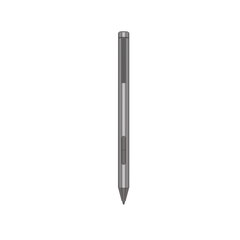 HiPen H7 NEW
 Backpack Waterproof
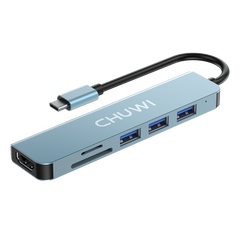 HUB
HUB
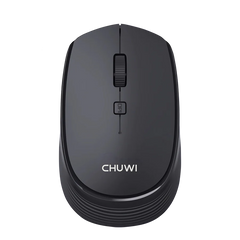 Wireless Mouse


FreeBook 360° 13.5'' Touch Screen Intel Twin Lake N150 16GB LPDDR5 RAM 512GB SSD
-
360° of Free:
You can flip the FreeBook all the way back to use this device for variety situations, tent mode and tablet mode makes it easier to use this device for streaming shows, reading long-form articles or stories, and drawing. -
13.5 Inches 2K Display:
Equipped with a 2256*1504 definition 2K screen with 100% sRGB coverage, which offers you a superior quality visual experience, the 3:2 aspect ratio design also helps to achieve productivity work due to its more displayed area. -
Intel Twin Lake N150 Processor:
Experience next-level performance with the FreeBook N150, powered by the Intel Twin Lake N150 processor. With 45% more power than its predecessor, it delivers seamless speed for browsing, multitasking, and streaming. -
Galore Storage:
Work and play without slowdowns—our 12GB or 16GB LPDDR5 RAM ensures lightning-fast performance and lower power consumption. The FreeBook N150 features an ultra-responsive 512GB or 1TB M.2 PCIe SSD, ensuring faster, quieter operation compared to traditional SATA and HDD storage. -
Full Metal Unibody Chassis:
Covered with aviation-grade aluminum alloy material unibody chassis, thinnest part at 8mm with ultralight 1340g of weight, FreeBook has a spectacular high-end appearance with remarkable hand feel. -
One Port For All:
This full featured Type-C port has strong availability that offers wide range of benefits, you can achieve power supplying, file transmitting and audiovisual signal outputting simultaneously. PD 2.0 fast charging is also supported via this port. -
Full Sized Keyboard:
The 3mm ultra-narrow bezel keyboard layout vastly extended the typing area, with large keycaps matched, you can enjoy a satisfying and accurate content inputting experience using FreeBook.


Fast & Free Shipping

Local Warehouse

Warranty Protection

Secure Payments

Multi-channel Support

Earn Commission


